






Register for the Actuate Insurance 24/7 Client Customer Service Portal — CSR24

Here’s how to register for the Actuate Insurance 24/7 Client Customer Service Portal — CSR24
This page covers how to register for our enhanced customer service experience via our 24/7 CSR24 online client portal. This feature is available from your computer or mobile device. Click here if you would like to learn more about our new customer service (CSR24) portal.
Our CSR24 Client Self-Service Portal:
The web URL address is: https://portald22.csr24.com/mvc/302866816
And our Mobile App can be downloaded in your app store. Look for P.I.A.M. Online and our logo.
While registering you will be asked for the following:
- Your email address
- Your phone number on record
- Your policy number
Contact us if you need to verify this information.
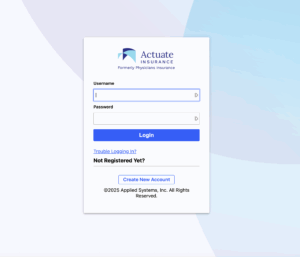
Step 1: Click on “Create New Account”
CSR24-self-Register screen image 1 of 2
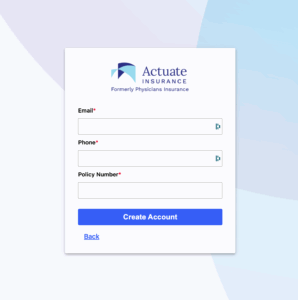
Step 2: Complete the form with the information provided above.
CSR24-self-Register screen image 2 of 2
We will be available if you have any problem self-registering or using the CSR24 client portal. Please do not hesitate to send us feedback on your experience registering/using the CSR24 portal or our website.
Email piam@mms.org with any questions or if you need assistance.
Click here to go to the CSR24 Portal

Related blogs

We’re proud to share that ActuateInsurance.com, launched October 2, 2025, has been awarded Bronze for External Website at the 2026 Showcase…

A night to remember. Actuate Insurance was proud to join the Massachusetts Medical Society (MMS) on May 15 for a…

The news is out. Actuate Insurance now offers Personal Lines coverage for Massachusetts Medical Society members, their families, and health…